I built my friend's food truck a full ordering system. I shipped the simple version.
I built a full online-ordering system with Square payments for my friend Robert’s food truck — and then shipped something much simpler. The real skill wasn’t building the impressive version. It was knowing what not to ship.
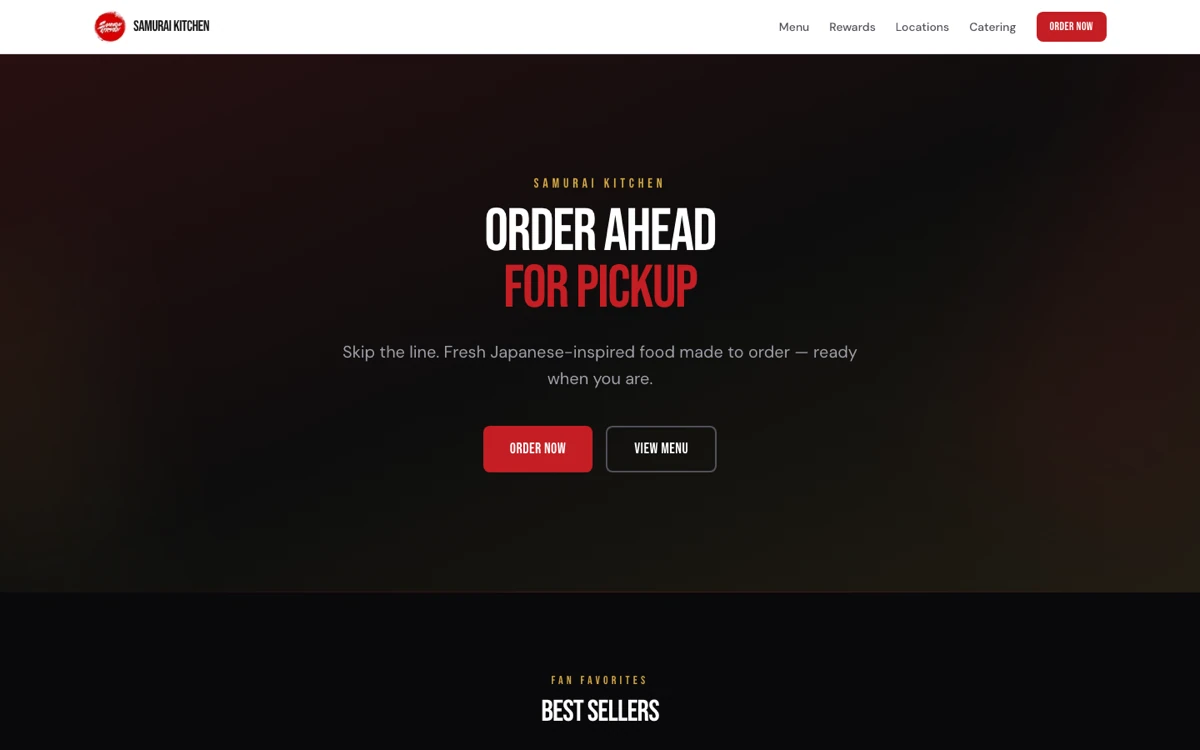
I built a full online-ordering system for my friend Robert's food truck.
Menu, cart, checkout flow, Square payments — the whole thing.
And then I didn't ship that version.
The version that actually went live is much simpler: a menu with photos and a catering form that sends inquiries straight to his inbox.
That was the real lesson.
The impressive thing was not building the ordering system. AI helped me move fast enough that the technical build was almost not the bottleneck anymore.
The real design decision was realizing what Robert's business actually needed right now.
He did not need me to force a full ordering platform into his workflow just because I had built one. He needed people to see the food, understand what he offers, and contact him for catering.
So that is what shipped.
The ordering system is still sitting in the repo. It works. It is probably 80% of the way there. But now it is a warm offer for later instead of a cold pitch today.
That distinction matters.
The timeline
I went back through the git history for this, so this is not me guessing from memory. These are the receipts.
The first version took about four hours
I started from something called create-next-app. It is a single command you run in your terminal, and it instantly builds you a blank-but-working website skeleton — all the boring setup files and folders already wired together — so you can skip straight to building the actual pages. (It is tied to a popular website framework called Next.js, but every major framework has its own version of this.)
From that starting point, I had a complete, presentable business site in about four hours and five commits.
It had a homepage, menu highlights, a "why us" section, a rewards call-to-action, a rewards page with a loyalty signup, Open Graph metadata, and a font polish pass.
That was not some ugly prototype. It was already something you could show a real business owner.
That is the part that still feels kind of wild to me.
With AI, the distance between "I have an idea" and "I can show someone a real thing" has collapsed.
The real build happened over a few evening sessions
That same evening, I started building the more serious version.
In the first session, I got the architecture in place: types, environment setup, responsive header, mobile menu, footer with hours and location, reusable hero, homepage, menu page, category filters, cart state, order page, checkout flow, and success page.
The next morning, I added the rewards page with phone lookup, a locations page, and a catering page with an inquiry form wired to an API endpoint.
That afternoon, I swapped out the placeholder menu for Robert's real menu.
Then I did what I think of as pure UX passes: sticky mobile category filters, consolidating the menu from seven categories down to four, and splitting out protein variants so the menu made more sense.
From git init to a working ordering platform with real menu data was roughly a day of elapsed time.
Not one uninterrupted day. More like an afternoon for v1, then a few evening sessions for the full platform.
That is the part I wish I'd understood when I was starting out.
You do not have to disappear for six months to build useful software anymore. You can build something real in the gaps of your life if you know how to keep the scope tight.
The hard part was payments
The Square payments integration was the part I treated differently.
For most of the site, I just built one visible piece at a time. Header. Footer. Hero. Menu. Cart. Checkout.
But payments are not a place where I wanted to freestyle.
The commit history shows the method clearly:
First I made a design spec.
Then I reviewed the spec.
Then I made an implementation plan.
Then I implemented it.
After that, the actual payment integration came together in six commits in about 21 minutes: the hook, the payment section, tokenization, and checkout wiring.
That is why I believe spec-first is not slower.
It feels slower because you are not "coding" yet. But the spec is what makes the implementation fast.
AI is way better when you give it a clear target. If the work is complex, vague, or easy to mess up, the spec is the shortcut.
Then I pivoted
A few weeks later, I changed the site's focus toward catering.
I updated the nav, hero, catering details, platter information, and form flow. Then I wired the catering form to real email delivery so inquiries land directly in Robert's inbox.
I also changed the menu to display-only.
That is the version that is live now.
And he actually uses it.
That matters more than the fact that I built a bigger version in the repo.
A feature that is impressive but unused is not really a win. A smaller thing that fits into someone's actual business is.
The method
Looking back, each commit was basically one ask to the AI.
That is probably the simplest way to explain the workflow.
1. Start with a generator
Use create-next-app — the starter command I mentioned earlier.
Do not hand-build the boring setup if a generator can give it to you for free.
The goal is not to prove you know how to configure everything manually. The goal is to get to the useful part as quickly as possible.
2. Build one visible piece at a time
Header first.
Then footer.
Then hero.
Then homepage sections.
Then menu.
Then checkout.
I built in the order a visitor would experience the site.
That kept the work grounded. I was not asking AI to "build a food truck website." I was asking for one specific piece at a time.
That is a huge difference.
3. Use placeholder data first
I did not start by perfectly modeling the real menu.
I used placeholder data to move fast, then did a dedicated pass later to drop in Robert's real menu.
That kept momentum high.
It is easy to get stuck trying to solve the whole real-world mess up front — I used to do exactly that. Sometimes it is better to build the shape first, then replace the fake data with real data.
4. Treat polish as small separate asks
Sticky filters.
Better category names.
Cleaner menu structure.
Protein variants.
Those were not huge rebuilds. They were small passes.
This is one of the best parts of building with AI. Polish gets cheaper when you break it into tiny asks.
5. Use specs for the scary parts
I did not spec every single thing.
That would have slowed me down.
But I did spec payments.
That is the balance I like: move fast on normal UI work, slow down on the parts that can break trust, money, data, or security.
6. Cut scope at the end
This was the biggest lesson.
Ship what the person actually needs.
Not what makes the project look most impressive.
Not what proves you can build the hardest thing.
Not what sounds best in a portfolio.
What does the business need today?
For Robert, the answer was: food photos, menu, catering form, and email delivery.
So that is what shipped.
What I would tell someone starting out
You do not need to know the framework perfectly.
You need to know the person you are building for.
That is the part AI cannot replace.
I knew Robert. I knew his food. I knew he needed catering inquiries. I knew people needed to see the menu and pictures. So every ask I made to AI had a real purpose.
That is why the project worked.
If you want to try this, do not start with a giant SaaS idea.
Pick one real person.
Find one real need.
Run create-next-app (that same starter command).
Ask AI for one section at a time in the order a visitor would see it.
Deploy it on Vercel.
Then cut the scope down to what the person will actually use.
That last part is where the product thinking is.
AI can help you build almost anything now.
The harder skill is knowing what not to ship.
Thanks for reading.